How to calculate and verify JAN and EAN barcode check digits
Learn the Modulus 10, Weight 3:1 algorithm used to calculate the final check digit for JAN/EAN-13, EAN-8, and UPC barcodes, with manual, spreadsheet, and verification steps.
Published
How to calculate the check digit (Modulus 10, Weight 3:1)
The final digit of a JAN (EAN-13, EAN-8), UPC-A, or ITF-14 barcode is a check digit calculated using the standard GS1 algorithm known as "Modulus 10, Weight 3:1". Excluding the final check digit, alternate digits are multiplied by weights of 3 and 1 starting from the digit immediately adjacent to the check digit (the rightmost data digit) and moving leftward. The units digit of the total sum is subtracted from 10 (or 0 if the units digit is 0) to produce the check digit.
The calculation proceeds in four steps:
- Prepare the sequence of data digits excluding the check digit (the first 12 digits for JAN/EAN-13, 7 digits for EAN-8, or 11 digits for UPC-A).
- Starting from the rightmost data digit (immediately to the left of the check digit position) and moving left, multiply each digit alternating between weights of 3 and 1 (3, 1, 3, 1, …).
- Sum all the resulting products.
- Take the remainder of the sum divided by 10 (modulo 10). If the remainder is 0, the check digit is 0. If the remainder is between 1 and 9, subtract the remainder from 10 to obtain the check digit.
Expressed as a formula:
Check Digit = (10 - (Weighted Sum mod 10)) mod 10
If the sum ends in 6, the check digit is 10 - 6 = 4. If the sum ends in 0, the check digit is 0.
Why descriptions differ: weighting from the right vs. the left
Explanations found in articles and textbooks often appear to contradict each other, with some stating "multiply odd-numbered positions by 3" and others saying "multiply odd-numbered positions by 1". This confusion arises purely from whether digit positions are counted from the left or from the right.
The official GS1 standard defines the algorithm from the right (the digit immediately preceding the check digit) moving leftwards as 3, 1, 3, 1, …. When someone counts from the left instead, whether data positions have an even or odd total count flips the apparent rule:
- JAN-13 / EAN-13 (12 data digits, even): Counting from the left, odd positions (1st, 3rd, 5th, 7th, 9th, 11th) receive a weight of 1, and even positions (2nd, 4th, 6th, 8th, 10th, 12th) receive a weight of 3.
- UPC-A (11 data digits, odd): Counting from the left, odd positions (1st, 3rd, 5th, 7th, 9th, 11th) receive a weight of 3, and even positions (2nd, 4th, 6th, 8th, 10th) receive a weight of 1.
- EAN-8 (7 data digits, odd): Counting from the left, odd positions (1st, 3rd, 5th, 7th) receive a weight of 3, and even positions (2nd, 4th, 6th) receive a weight of 1.
- ITF-14 (13 data digits, odd): Counting from the left, odd positions receive a weight of 3, and even positions receive a weight of 1.
Counting from the left requires memorizing different rules depending on the barcode symbology. Remembering the universal GS1 rule—"weight 3 starting from the rightmost data digit, alternating 3 and 1 to the left"—works consistently across every GS1 barcode type.
Worked example: Calculating a JAN-13 (EAN-13) check digit
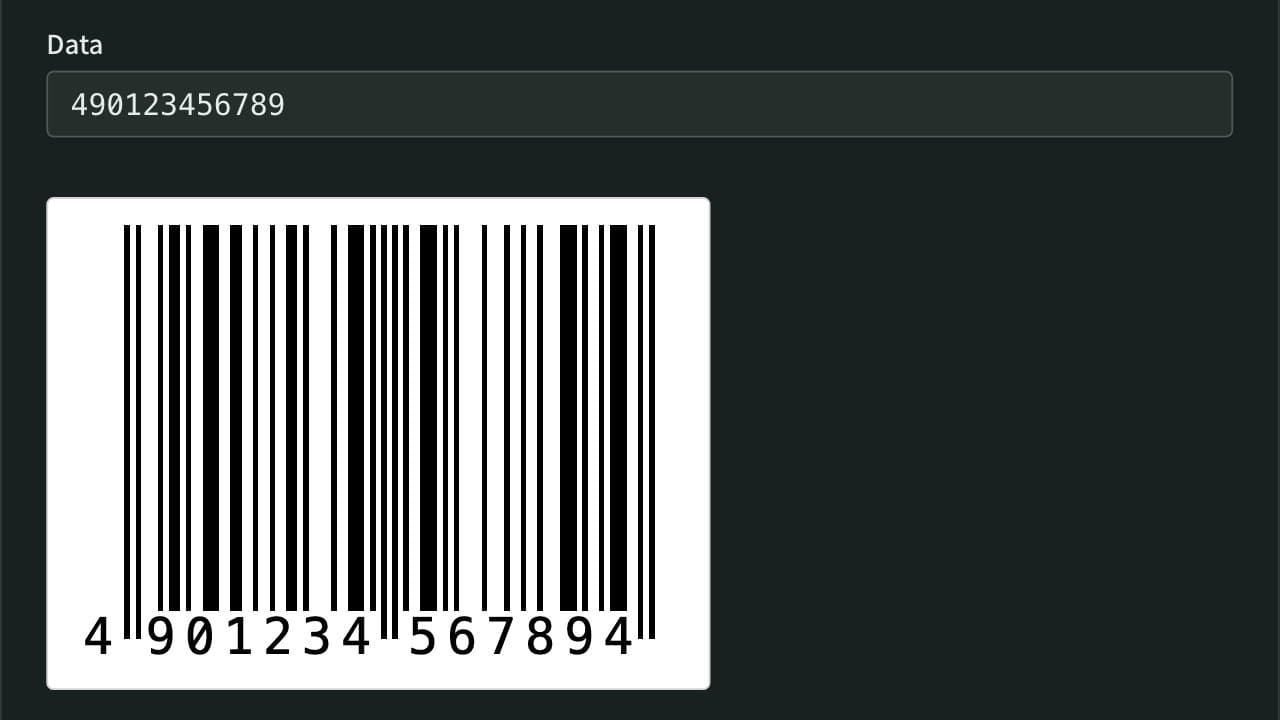
Consider the 12-digit Japanese product code 490123456789 as an example to calculate the 13th check digit manually.
The digits, their weights, and products are shown in the following table:
| Position from left | Digit | Weight | Product | | :----------------- | :---- | :----- | :------ | | 1st | 4 | 1 | 4 | | 2nd | 9 | 3 | 27 | | 3rd | 0 | 1 | 0 | | 4th | 1 | 3 | 3 | | 5th | 2 | 1 | 2 | | 6th | 3 | 3 | 9 | | 7th | 4 | 1 | 4 | | 8th | 5 | 3 | 15 | | 9th | 6 | 1 | 6 | | 10th | 7 | 3 | 21 | | 11th | 8 | 1 | 8 | | 12th | 9 | 3 | 27 |
Step-by-step arithmetic:
- Sum of digits with weight 1:
4 + 0 + 2 + 4 + 6 + 8 = 24 - Sum of digits with weight 3:
27 + 3 + 9 + 15 + 21 + 27 = 102 - Total sum:
24 + 102 = 126 - Remainder modulo 10:
126 mod 10 = 6 - Check digit:
10 - 6 = 4
Combining the 12 data digits with the calculated check digit yields the complete 13-digit JAN barcode: 4901234567894.
If the total sum had ended in 0 (such as 130), the check digit would be 0 rather than 10 - 0 = 10.
Spreadsheet formulas for Excel and Google Sheets
When managing product catalogs or inventory lists in spreadsheets, you can calculate the check digit automatically from a 12-digit string in cell A1.
To calculate the check digit alone:
=MOD(10 - MOD(SUMPRODUCT(MID(A1, {1,3,5,7,9,11}, 1)*1) + SUMPRODUCT(MID(A1, {2,4,6,8,10,12}, 1)*3), 10), 10)
This formula uses MID to extract odd and even digits as separate arrays, multiplies them by their respective weights (1 and 3) using SUMPRODUCT, and then applies MOD twice to compute the ten's complement.
To append the check digit directly onto the 12-digit base code to produce the complete 13-digit barcode string, use the concatenation operator &:
=A1 & MOD(10 - MOD(SUMPRODUCT(MID(A1, {1,3,5,7,9,11}, 1)*1) + SUMPRODUCT(MID(A1, {2,4,6,8,10,12}, 1)*3), 10), 10)
Beware of dropped leading zeros
When typing or pasting barcode numbers into spreadsheets, cells formatted as "General" or "Number" will automatically drop leading zeros, converting a 12-digit code like 012345678905 into an 11-digit number (12345678905). Because missing leading zeros corrupt downstream position indexing, always format barcode columns as "Text" before input, or prefix entries with a single quote ('01234567890).
Causes of check digit errors and troubleshooting steps
When a barcode scanner, point-of-sale terminal, or verification system reports a "check digit mismatch" or "invalid barcode", the cause typically falls into one of four categories:
1. Single-digit typos (substitution errors)
A single miskeyed digit. The Modulus 10, Weight 3:1 algorithm is mathematically guaranteed to detect 100% of single-digit substitution errors because altering any single digit shifts the weighted sum, altering the remainder modulo 10.
2. Transposition of adjacent digits
Swapping two adjacent digits during manual entry (such as typing 32 instead of 23). Because adjacent positions alternate between weights of 1 and 3, any transposition where the absolute difference between the two numbers is not 5 (such as 1 and 6, or 2 and 7) changes the weighted sum and is reliably detected.
3. Digit count misunderstanding
Attempting to recalculate a check digit from an already-complete 13-digit code by feeding only the first 11 digits, or mistakenly treating the 13th digit as part of the product payload. For JAN-13, the check digit is strictly the 13th digit computed from the preceding 12 digits.
4. Misinterpreted prefixes
The leading digits of a barcode carry standardized global meanings:
45or49: GS1 Japan country code prefixes.02,20–29: In-store codes reserved for internal retailer use (such as weighted deli goods or internal asset tracking).978or979: Bookland ISBN prefixes (9790for ISMN sheet music).
Verify whether an in-store barcode was inadvertently submitted to an external supply chain EDI system, or whether an ISBN requires specific prefix handling.
Generating and verifying barcodes automatically
To eliminate manual calculation errors or produce high-resolution printable barcode graphics, you can use App Museum's Barcode Generator.
- Automatic Check Digit Calculation: Entering 12 digits (for JAN/EAN-13) in the data field automatically calculates the correct check digit and renders the scannable barcode symbol.
- Verification and One-Click Correction: When entering a full 13-digit code, the tool validates the existing check digit against the calculated value. If a mismatch is found, an alert appears alongside a button to fix the final digit to the correct value with a single click.
- Batch Printable PDF Generation: You can input a list of codes (one per line) or use the serial number generator to lay out dozens of barcodes with verified check digits onto an A4 or Letter PDF sheet ready for standard office printing.
All barcode rendering (SVG and PNG) and PDF composition occur entirely in your local browser, ensuring product codes and internal serial numbers are never transmitted to external servers.
References
Apps for this guide

Barcode Generator
Create EAN-13/JAN, EAN-8, UPC-A, ITF-14, Code 128, Code 39, and Codabar (NW-7) barcodes and save them as PNG or SVG. Check digits are calculated or verified automatically, and you can set the narrow bar width and bar height in millimetres for print. You can also lay out many barcodes, one per line or as a numbered series, on a printable A4 or Letter PDF.