How to convert binary, decimal, and hexadecimal numbers
Understand positional notation and manual conversion, then verify results while handling prefixes, invalid digits, negative values, and large integers.
Published Updated
Positional notation basics
In positional notation, add each digit as “digit value × a power of the base.” Just as decimal 345 means 3×10² + 4×10¹ + 5×10⁰, binary and hexadecimal follow the same rule.
binary 101101 = 1×2⁵ + 0×2⁴ + 1×2³ + 1×2² + 0×2¹ + 1×2⁰ = 45
hex 2D        = 2×16¹ + 13×16⁰ = 45
decimal 45    = binary 101101 = hex 2D
Hexadecimal uses A through F for values ten through fifteen. Uppercase and lowercase normally have the same digit values, but consistent casing reduces misreading in documentation.
Convert manually in either direction
To convert binary or hexadecimal to decimal, multiply each digit by the corresponding power of the base and add the results. To convert decimal to another base, repeatedly divide by the base, record the remainder, and read the remainders from bottom to top after the quotient reaches zero.
45 ÷ 2 = 22 remainder 1
22 ÷ 2 = 11 remainder 0
11 ÷ 2 =  5 remainder 1
 5 ÷ 2 =  2 remainder 1
 2 ÷ 2 =  1 remainder 0
 1 ÷ 2 =  0 remainder 1
result: 101101
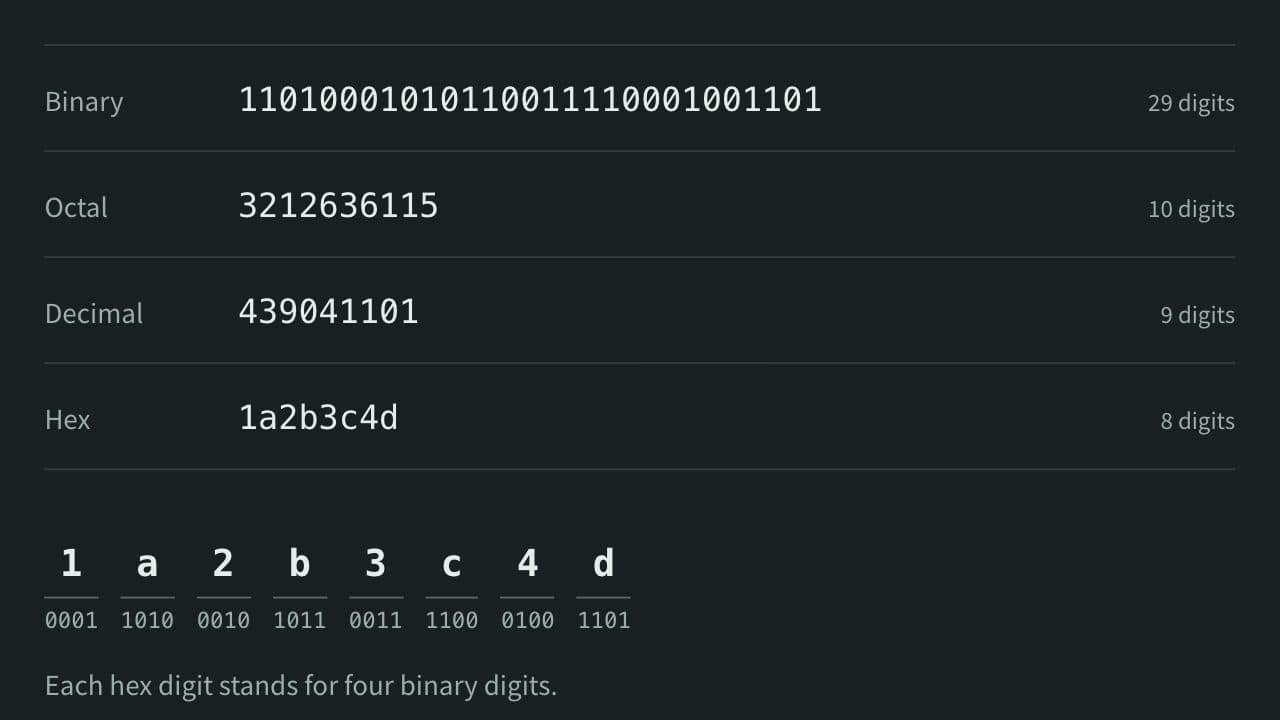
For binary-to-hexadecimal conversion, another method is to group four bits at a time. 0010 1101 maps to 2 D, giving 2D. If the first group has fewer than four digits, pad it on the left with zeros that do not change the value.
Separate prefixes from the digits
In JavaScript and similar languages, 0b101101 denotes a binary literal and 0x2D denotes a hexadecimal literal. 0b and 0x are base prefixes, not digits in the value.
Each field in App Museum's number base converter already identifies its base, so enter 101101 in the binary field and 2D in the hexadecimal field. Pasting 0b101101 into the binary field makes b an invalid digit.
Watch for invalid digits and value semantics
- Binary accepts only
0and1;102is invalid. - Hexadecimal accepts
0–9andA–F;2Gis invalid. 00045and45have the same numeric value, but leading zeros may matter in fixed-width codes or identifiers. Restore any required display width after conversion.- For a negative value, handle the sign separately from the magnitude.
-45can be written as-101101or-2D, but these are different from a fixed-width two's-complement representation. In 8-bit two's complement,-45is11010011(D3). In the number base converter, choosing a bit width shows the two's-complement bit pattern. - Some runtimes round very large integers. The converter handles integers as
BigInt, but also check the numeric range of the system receiving the result.
Fractions add negative powers of the base and rounding concerns. This guide and the number base converter focus on integers.
Verify by converting back
- Convert the original value to the target base.
- Convert the resulting digits back to the original base.
- Confirm that the value and sign match after ignoring non-significant leading zeros.
- Test boundaries such as
0,1, values immediately below and above the base, negative values, and large integers. - Add a required
0bor0xprefix only at the end when embedding the result in code.
For decimal 255, the expected results are binary 11111111 and hexadecimal FF. Convert FF back to decimal and confirm 255, then back to binary and confirm eight 1 digits.
References
Apps for this guide
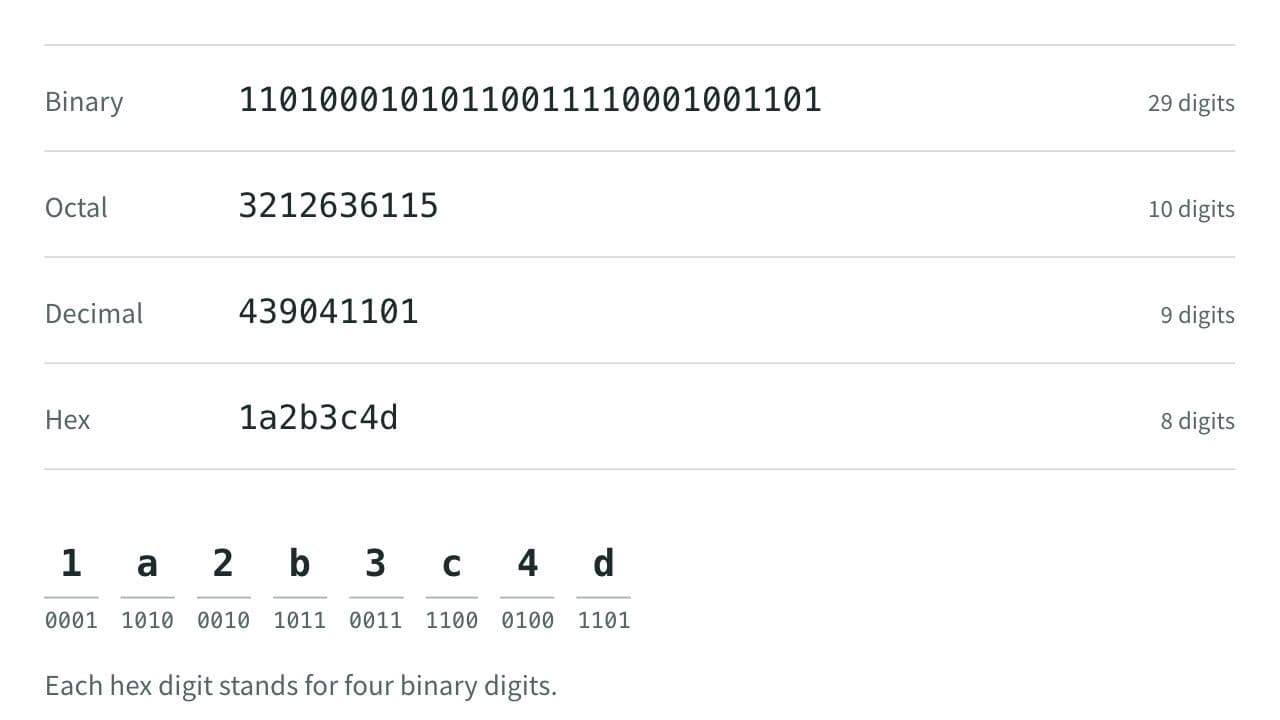
Number Base Converter
Convert between binary, octal, decimal, and hexadecimal — edit any field and the others update automatically, with optional 8- to 64-bit two's complement.