How to encode special characters in URLs correctly
Learn to distinguish a full URL from a query value and safely encode spaces, plus signs, percent signs, and other special characters without double encoding.
Published Updated
Treat the full URL and a value separately
A URL contains parts with different roles, including the scheme, host, path, query, and fragment. Encoding a complete URL as one value also transforms the : and / in https:// and the ? that starts the query. The result can no longer be used directly as the destination URL.
To pass the search term red + blue & 50% as the value of q, encode only the search term:
input value: red + blue & 50%
encoded value: red%20%2B%20blue%20%26%2050%25
complete URL: https://example.com/search?q=red%20%2B%20blue%20%26%2050%25
When an environment can modify an existing URL by component, URL and query-parameter APIs make the encoding boundary clearer than string concatenation. As a rule, enter only the value that will be embedded in the URL into App Museum's URL encoder and decoder, and leave “What to convert” on the initial “Part of a URL”. Choose “Whole URL” only when you want to turn a URL that contains Japanese text or spaces into a form that works as a link while keeping its separator symbols. “Whole URL” does not convert a &, =, +, or # inside a value, so it cannot be used for a URL whose values contain symbols.
Why special characters cause problems
A space normally becomes %20 in percent-encoding. In application/x-www-form-urlencoded, however, a space is represented by +, so a literal plus sign needs %2B to remain distinct.
& can separate query fields, = can separate a name from its value, and # can begin a fragment. Encoding them as %26, %3D, and %23 keeps them inside the value. % begins an encoded sequence made of a percent sign and two hexadecimal digits, so a literal percent sign becomes %25.
raw value: plan=a¬e=#1
encoded: plan%3Da%26note%3D%231
Common failures include always decoding form-style + as a literal plus, or concatenating an unencoded & and accidentally creating another parameter. Confirm whether the receiving system expects ordinary URL-component encoding or form encoding. For form encoding, choose “Form format (spaces as +)” under “What to convert” in the tool to encode and decode with + for a space.
Which characters are safe without encoding
Only 66 characters never need percent-encoding in a URL: the letters A–Z and a–z, the digits 0–9, and the four symbols -, ., _, and ~. RFC 3986 calls them unreserved characters. A hyphen or an underscore therefore never needs encoding, and %5F is only a longer way to write the same underscore.
One case still needs care. A path segment that consists only of . or .. means the current or parent directory and is removed when the URL is resolved, and writing it as %2E does not reliably prevent that. Reject such a value instead of placing it in a path.
Every other character belongs to one of two groups:
- Reserved characters:
:/?#[]@!$&'()*+,;=. They are valid in a URL, but some part of the URL or the receiving application may read them as delimiters. Leave them raw when they act as delimiters, and encode them when they are part of a value. - Characters that cannot appear raw: the space,
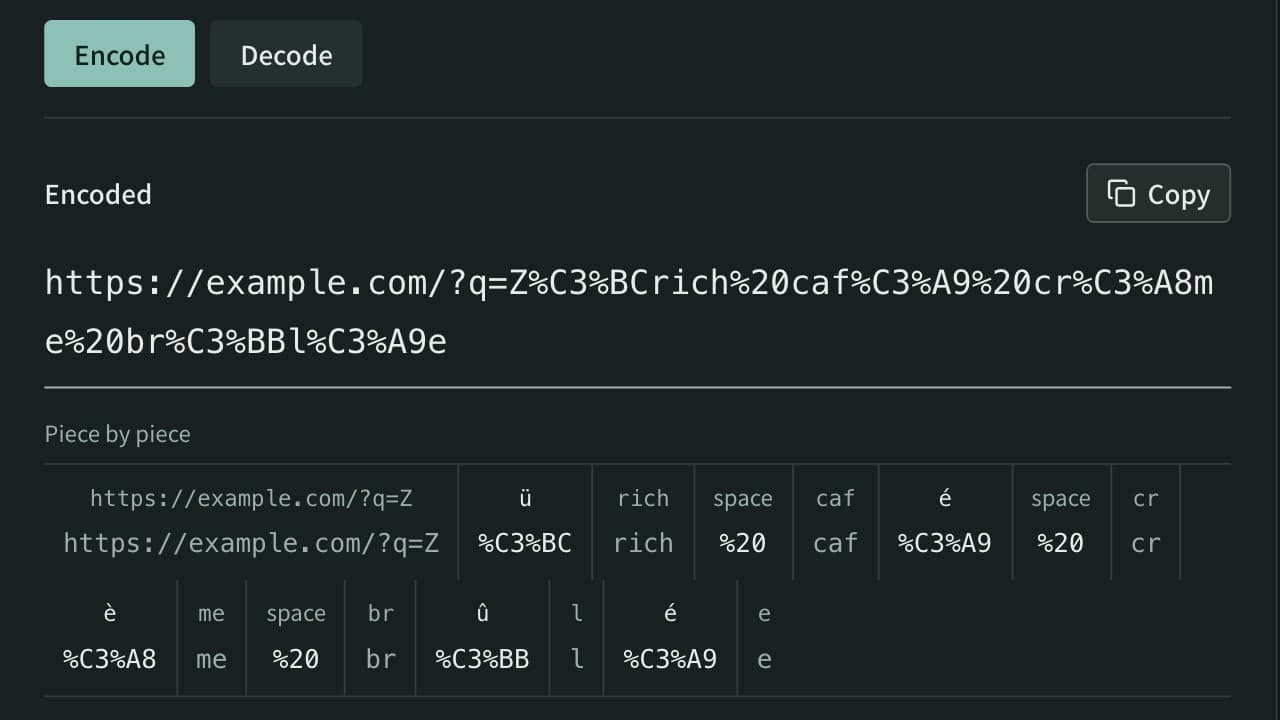
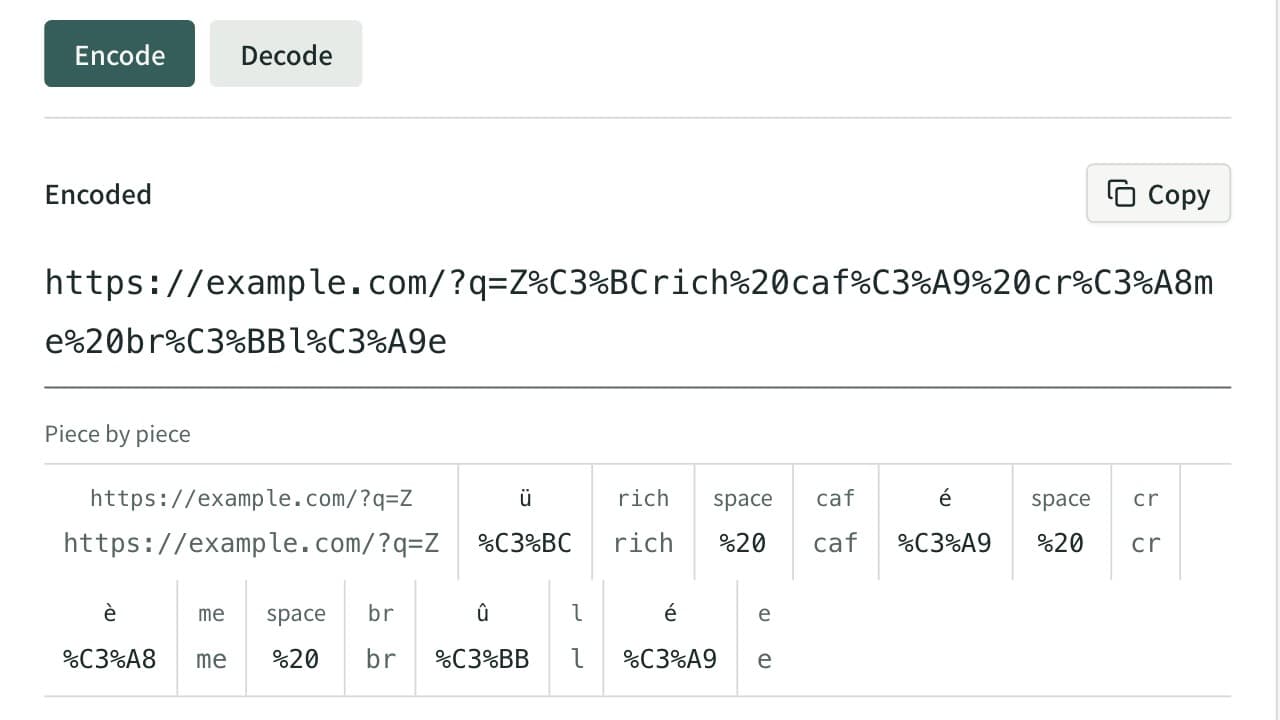
",<,>,\,^,`,{,|,}, control characters, and everything outside ASCII such aséor東. Always encode them. A%is valid only as the start of an encoded sequence, so a literal percent sign also needs encoding.
A comma or a colon inside a query value is reserved, not invalid. Many URLs carry them raw, but the receiver may treat a comma as a list separator, so %2C and %3A remove the doubt and decode back to the same characters.
App Museum's URL encoder and decoder follows encodeURIComponent while “What to convert” is on the initial “Part of a URL”, which leaves the unreserved characters and also !, ', (, ), and * unchanged, and encodes everything else:
input value: my-file_v1.2~draft
encoded value: my-file_v1.2~draft

input value: a,b:c d
encoded value: a%2Cb%3Ac%20d
Detect double encoding
Encoding an existing %20 again converts its % to %25, producing %2520. After the receiver decodes once, %20 remains instead of becoming the expected space. This is a typical sign of double encoding.
original: a b
once: a%20b
twice: a%2520b
decode once from twice: a%20b
Define at each processing boundary whether the input is raw or already encoded, and do not encode the same value in multiple layers. Repeated percent signs followed by two hexadecimal digits do not prove double encoding by themselves; compare the result with the original value through a round trip. An incomplete percent sequence or invalid UTF-8 sequence can also produce a decoding error.
Verify an encode-decode round trip
- Prepare test data with the same kinds of special characters instead of using real data.
- Encode the value with the URL encoder and decoder.
- Use the output as a new input and decode it.
- Confirm that the decoded result matches the original string character for character.
- In the completed URL, confirm that the value stays in one query field and does not create an unintended fragment or extra field.
For 東京 + café, verify that encoding transforms the non-ASCII characters, spaces, and +, and that decoding restores the original text including the accented character. Visually similar Unicode characters exist, so inspect code points or string length when exact identity matters.
Test without secrets
Signed URLs, password-reset URLs, OAuth authorization URLs, and URLs containing API keys or session tokens can leak through clipboard history, screen sharing, or logs. App Museum processes the value in the browser, but tests should still use https://example.com/ and fictional values. Do not paste real secrets or authentication URLs.
References
Apps for this guide
URL Encoder / Decoder
Percent-encode strings for URLs or decode encoded strings back, with options for a whole URL that keeps : / ? & = and for the form format that writes spaces as +. Runs entirely in your browser.