Why character counts differ between tools, and which count to match
The same text gets different character counts because tools count different units and treat spaces and line breaks differently. See where emoji, full-width text, and line breaks diverge, and how to match the count your destination uses.
Published Updated
Why the same text gets different counts
Character counts disagree because tools and services differ in what they count as one. The difference is always one of these three:
- They count a different unit (a character as you see it, a code point, a UTF-16 code unit, or a byte)
- They differ on whether spaces and line breaks count
- They weight some kinds of characters more than others (a full-width character counting as two, for example)
For a single line made only of letters, digits, hiragana, and common kanji, every method gives the same value except byte counts and weighted counts. The values diverge when the text contains emoji, certain kanji, a character stored with a separate voicing mark, spaces, or line breaks. None of the methods is the correct one. You have to match the method used by the place the text is going.
The four units that get counted
A computer stores text as a sequence of numbers. The same character gives a different value depending on which level of that sequence is counted.
- Grapheme (a character as you see it): the unit a person recognizes as one character. An emoji built by joining several codes counts as one
- Code point: the number of entries Unicode assigns to characters and their parts. A joined emoji counts once for each part
- UTF-16 code unit: the unit counted by
"string".lengthin JavaScript and bymaxlengthon an HTML input. For most emoji such as😀and for some kanji, one code point is two code units - UTF-8 bytes: the size used in files and on the network. An ASCII letter or digit is 1, most hiragana and kanji are 3, and most single-code-point emoji such as
😀are 4. A joined emoji adds the bytes of each part
Here are the same characters counted in all four units. The values are, in order, graphemes / code points / UTF-16 code units / UTF-8 bytes.
a: 1 / 1 / 1 / 1あ: 1 / 1 / 1 / 3𠮷(a variant of the kanji 吉): 1 / 1 / 2 / 4😀: 1 / 1 / 2 / 4🇯🇵: 1 / 2 / 4 / 8👨👩👧👦: 1 / 7 / 11 / 25- が stored as か plus a separate voicing mark (U+3099): 1 / 2 / 2 / 6
The last example shows that a が that looks the same can be stored as one code (1 / 1 / 1 / 3) or as か followed by a separate voicing mark. Text copied from a macOS file name is one place the second form comes from. The two cannot be told apart by eye, so the only symptom is a count that does not match.
How spaces and line breaks are treated
Even with the same unit, the handling of spaces and line breaks changes the value.
- Whether spaces count: tools differ on whether regular spaces, full-width spaces, and tabs are included. Some show both a count with spaces and a count without
- Whether line breaks count: some tools count a line break as one character and some do not count it. The character count in Microsoft Word does not include line breaks (paragraph marks)
- Whether a line break is one or two: a line break is either LF (one code) or CRLF (two codes). A multi-line input in a browser treats a line break as one on screen, but converts it to CRLF when the page submits it as a plain HTML form. A server that counts the received text as it is can get a value higher than the one on screen by the number of line breaks. On a page that reads the field's value with JavaScript and sends that, a line break stays as one
- Trailing spaces and line breaks: some services strip leading and trailing whitespace before counting
A text with 30 line breaks differs by 30 characters on that choice alone. When a manuscript or report is off by a large amount, check line breaks and spaces first.
Counts that weight some characters more
Some services assign a weight to each kind of character and compare the total with the limit.
- X (formerly Twitter): the limit for a standard post is 280, but CJK characters such as Japanese, and emoji, count as 2 each. A post written only in Japanese can hold 140 characters (longer posts on paid plans have a separate limit). A URL counts as 23 whatever its length. A joined emoji is also 2, however many parts it has
- Forms that count full-width as 2 and half-width as 1: this comes from the byte count in encodings such as Shift_JIS, which store a full-width character in 2 bytes. A field labeled “up to N full-width characters (2N half-width)” counts this way
- Limits in bytes: database columns and file name lengths, for example. A Japanese character is usually 3 bytes in UTF-8, so “up to 255 bytes” means roughly 85 Japanese characters
These limits do not match the number of characters as you see them. Check them with a tool that shows a weighted count or a byte count.
Matching the count your destination uses
- Read what the destination states. Wording such as “including spaces and line breaks,” “N full-width characters,” or “within N bytes” tells you the unit and how spaces and line breaks are treated
- When nothing is stated, test with a short text. Enter
あ😀and read the value on the destination's screen: 2 most likely means characters as you see them or code points, 3 UTF-16 code units, 4 a weighted count where full-width characters and emoji are 2, and 7 UTF-8 bytes. If you got 2, enterあ🇯🇵next: still 2 means characters as you see them, and 3 means code points - Then compare
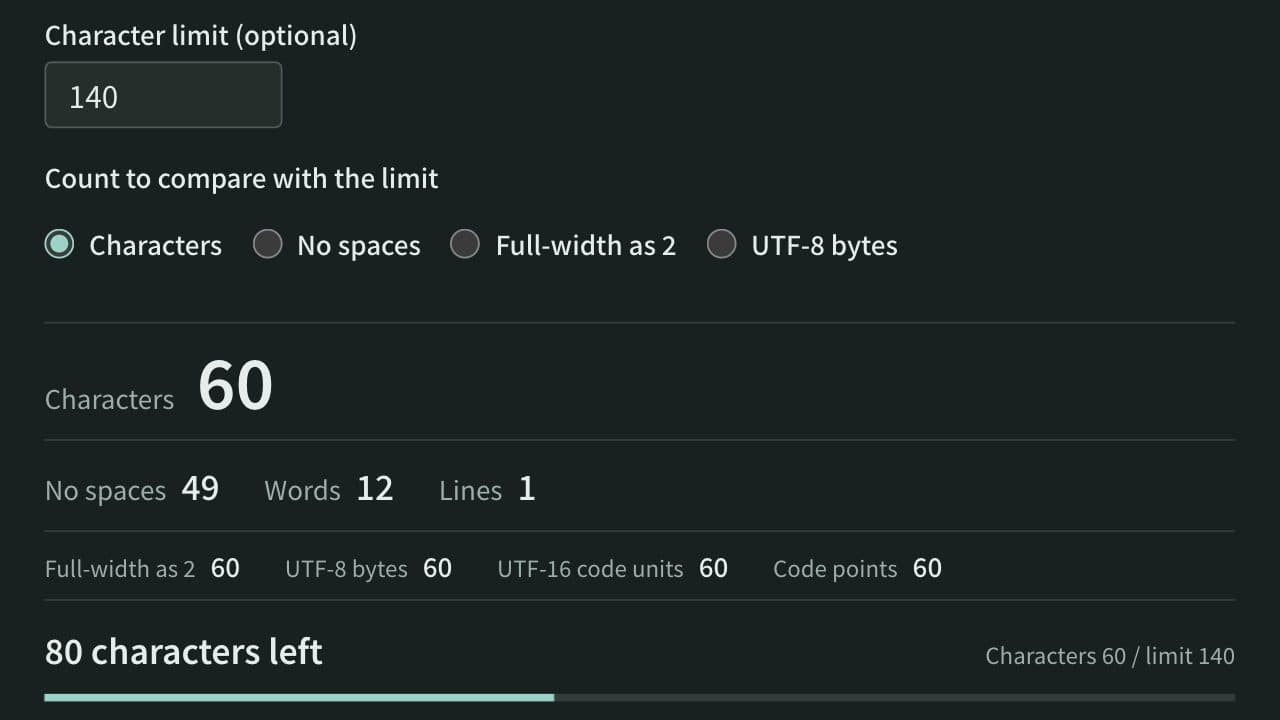
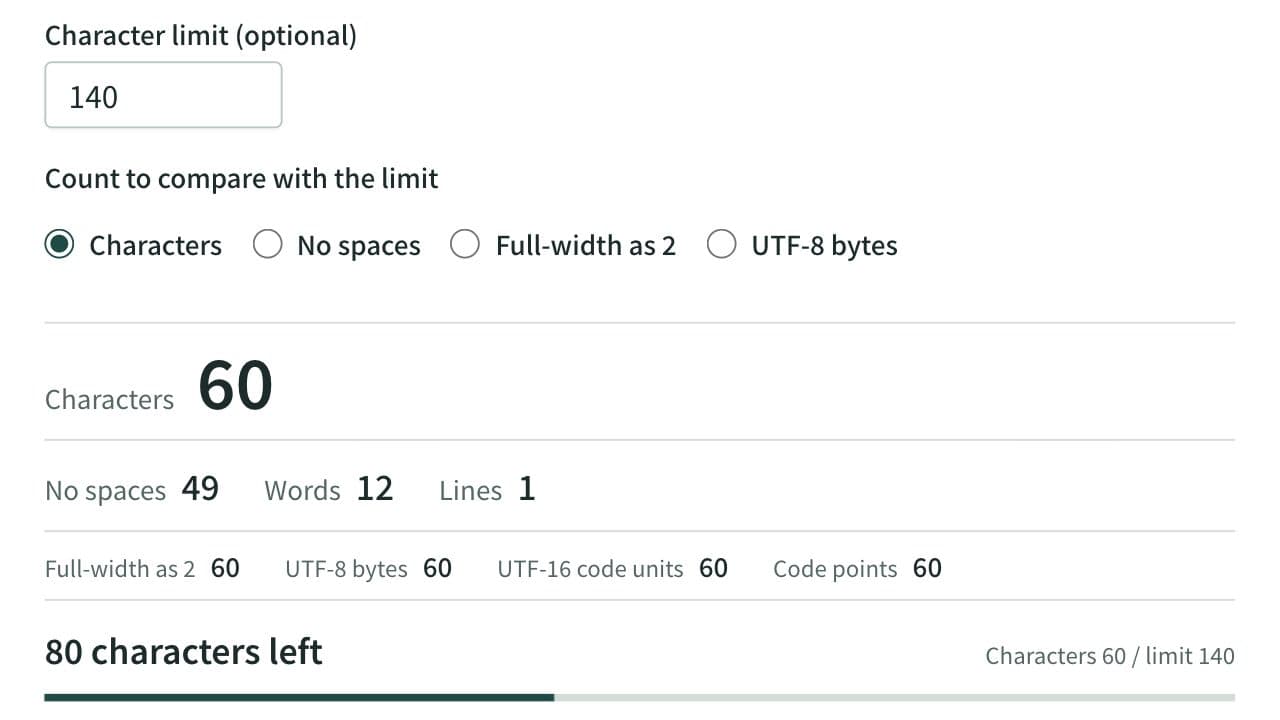
あいwith the same two characters separated by one line break. If the value is the same, line breaks are not counted. The line break goes in the middle because some services strip a trailing line break before counting - When the destination counts characters as you see them (a destination that counts code points gives the same value as long as you avoid flags and joined emoji), count with the Character Counter. The app counts graphemes: “Characters” includes spaces and line breaks, and “No spaces” excludes them. Read the one that matches what the destination states
- When the destination counts full-width characters as 2 and half-width as 1, or counts UTF-8 bytes, UTF-16 code units, or code points, read “Full-width as 2,” “UTF-8 bytes,” “UTF-16 code units,” or “Code points” in the row below in the same app. “Full-width as 2” counts each code point, so it does not match X's count for text with joined emoji or URLs
- When there is a limit, enter the number in “Character limit (optional)” and set “Count to compare with the limit” to the same rule as the destination. The app then shows how much is left. The rules to choose from are “Characters,” “No spaces,” “Full-width as 2,” and “UTF-8 bytes”
- When the destination counts a line break as CRLF, or splits full-width and half-width in its own way, treat the app's value as an estimate and make the final check with the value shown on the destination's screen
When you are writing right up to a limit, staying with characters whose value is the same in every method is the safe choice. Avoiding emoji and symbols that look different from one device to another keeps the text clear of these differences.
Checking in JavaScript
You can check each of the four units in the console of your browser's developer tools.
const text = "あ😀";

text.length;
// UTF-16 code units: 3

[...text].length;
// code points: 2

[...new Intl.Segmenter("ja", { granularity: "grapheme" }).segment(text)].length;
// graphemes: 2

new TextEncoder().encode(text).length;
// UTF-8 bytes: 7
A form that checks its limit with text.length uses up two or more characters for most emoji. If you build an input yourself, use the same unit for the remaining count you show and for the limit you enforce.
References
Apps for this guide
Character Counter
Count characters, words and lines in real time. Also shows the count with full-width characters as 2, UTF-8 bytes, and UTF-16 code units, with the amount left before a limit and where the text goes over it. For social posts, manuscripts, and form fields.