CSS Unit Converter (px, rem, em, vw)
Convert between CSS px, rem, em, %, vw, vh, pt, mm and more. Set the root font size and the viewport, read a px-to-rem chart, and rewrite the px in a whole style sheet to rem at once.
Convert one value
You can also type the unit with the number, such as 24px or 1.5rem.
From unit
Results
- px16px(input)CSS pixel, 1/96 of an inch
- rem1remMultiple of the root (html) font size
- em1emMultiple of the font size for em
- %100%Percentage of the parent's font size, as used in font-size
- vwabout 1.1111vw1/100 of the viewport width
- vhabout 1.7778vh1/100 of the viewport height
- pt12ptPoint, 1/72 of an inch (4/3px)
- pc1pcPica, 1/6 of an inch (12pt, 16px)
- inabout 0.1667inInch, 96px
- cmabout 0.4233cmCentimetre, 1/2.54 of an inch
- mmabout 4.2333mmMillimetre, 1/10 of a centimetre
- Qabout 16.9333QQuarter-millimetre, 1/4 of a millimetre
px to rem chart
Values for a root font size of 16px.
- 10px0.625rem
- 11px0.6875rem
- 12px0.75rem
- 13px0.8125rem
- 14px0.875rem
- 15px0.9375rem
- 16px1rem
- 18px1.125rem
- 20px1.25rem
- 22px1.375rem
- 24px1.5rem
- 28px1.75rem
- 32px2rem
- 36px2.25rem
- 40px2.5rem
- 44px2.75rem
- 48px3rem
- 56px3.5rem
- 64px4rem
- 72px4.5rem
- 80px5rem
- 96px6rem
Convert CSS in bulk
Only px (or rem) in declaration values is rewritten. Selectors, comments, strings and url() are left as they are.
Direction
Calculated at a root font size of 16px (from Reference sizes).
How to use
- Type a number in "Value to convert" and pick its unit with the "From unit" buttons. If you type the unit with the number, such as
24pxor1.5rem, that unit is used - The size in every unit — px, rem, em, %, vw, vh, pt, pc, in, cm, mm and Q — appears under "Results" as you type. The row of the unit you entered is marked "(input)"
- rem, em, %, vw and vh are calculated from "Reference sizes". Set the root font size (16px to start with), the font size for em and % (the same as the root when left empty), and the viewport width and height (1440 × 900 to start with) to match your page. "Use this window's size" fills in the size of the browser window you have open
- "Decimal places" sets how many decimals the results show (2 to 6; 4 to start with). Values that had to be rounded are marked "≈"
- The copy button on each row puts the value with its unit, such as
0.875rem, on the clipboard - "px to rem chart" lists common px sizes in rem at the current root font size
- Paste CSS into "Convert CSS in bulk" to rewrite every px in its declaration values to rem. Choose "rem → px" to convert the other way. "Copy" next to "Converted CSS" copies the result
When the page opens, 16px is filled in as an example.
How it is calculated
Every unit is first turned into px and then into the target unit. The CSS specification (CSS Values and Units Level 4) fixes px against the units that do not depend on the page (absolute lengths) as follows.
- 1in = 96px = 2.54cm
- 1pt = 1/72in = 4/3px (12pt = 16px)
- 1pc = 1/6in = 12pt = 16px
- 1cm = 96px ÷ 2.54 (about 37.7953px)
- 1mm = 1/10cm, 1Q = 1/4mm
The units that depend on the page (relative lengths) use "Reference sizes".
- rem = px ÷ root font size (at 16px, 24px is 1.5rem)
- em = px ÷ font size for em
- % = px ÷ font size for em × 100 (as a percentage in font-size)
- vw = px ÷ viewport width × 100
- vh = px ÷ viewport height × 100
The calculation is done in exact fractions, so decimal errors such as 0.1 + 0.2 do not appear. Only at the end is the result rounded to the chosen places (a 5 rounds away from zero).
Example
Part of the results for 14px at a root font size of 16px:
px   14px
rem  0.875rem
em   0.875em
%    87.5%
pt   10.5pt
mm   ≈ 3.7042mm
Some other examples:
1px→0.0625rem12pt→16px(when converting a type size from print points)210mm(the width of A4) → ≈793.7008px- With a viewport width of 1440,
24px→ ≈1.6667vw, and100vw→1440px - With the root font size set to
10(a site that setsfont-size: 62.5%on html),24px→2.4rem
Rules for converting CSS in bulk
Converting this CSS with "px → rem"
.card {
  padding: 16px 24px;
  font-size: 14px;
  border: 1px solid;
}
gives padding: 1rem 1.5rem; and font-size: 0.875rem;, with the note "Converted 3 values to rem. 1 value of 1px or less stays in px." border: 1px solid; stays as it is because "Keep values of 1px or less (such as thin borders) in px" is ticked.
Only lower-case px (or rem for "rem → px") written in a value — after the ":" of a declaration such as margin: 16px; — is rewritten. These are left as they are:
- Selectors (such as
.w-10px:hover) and anything written before{ - Comments (
/* */and Sass's//), quoted strings, and the inside ofurl(…) - Statements that start with
@, such as@importand@include - Upper-case
PXandPx. As with postcss-pxtorem, they work as a marker for a value that should stay in px @mediaconditions, unless "Also convert @media conditions" is ticked
rem and em in a @media condition are relative to the browser's initial font size (normally 16px), not to the html font-size. Conditions are therefore calculated at 16px whatever the root font size is set to: even with the root at 10px, @media (min-width: 768px) becomes 48rem.
Values of Sass variables ($space: 24px;) and custom properties (--gap: 8px;) are converted. A line containing #{…} interpolation may not be read correctly. Check the differences before you use the converted CSS.
FAQ
What is the difference between rem and em?
rem is relative to the font size of the root (html) element, so it is the same size wherever it is used on the page. The one exception is rem in the font-size of html itself, which is relative to the browser's initial font size (the size of html cannot be based on itself). em is relative to the parent's font size when used in font-size, and to the element's own font size in any other property, so its size changes when elements are nested. To calculate em, enter that element's font size (the parent's, for font-size) in "Font size for em and %".
Why use rem instead of px?
On a site that does not set a font-size on html, or sets it as a percentage such as 62.5%, sizes written in rem grow when someone makes the default font size larger in their browser settings, while sizes written in px do not. Writing type sizes and spacing in rem keeps the layout readable when the text is enlarged. If html has a fixed font-size in px, such as 16px, sizes in rem do not change either. Zooming the whole page enlarges sizes in px just as it does sizes in rem.
What should I enter as the root font size?
If your CSS does not set a font-size on html, it is the browser's initial 16px. For a site that writes html { font-size: 62.5%; }, enter 10px (62.5% of 16px). If someone has changed the font size in their browser, the actual sizes change, but this app calculates with the values you enter.
What is % a percentage of?
The % in this app is the value as used in font-size: a percentage of the parent's font size. A % in width or margin is a percentage of the width of the parent (the containing block), so it does not match the value here.
What sizes are vw and vh measured against?
The width and height of the viewport — the area of the browser that shows the page — normally including the scrollbar. When html always keeps room for a scrollbar, such as with overflow: scroll, that room is left out. On phones, vh is measured with the address bar hidden (svh, measured with it shown, and dvh, which follows it, also exist). "Use this window's size" fills in the size of the window this page is open in, so typing the width of the screen you are designing for (such as 375 or 390 for a phone) is more reliable.
Is the size the same as mm or pt in print?
In CSS, 1in is defined as 96px and is not tied to the physical size of the screen, so 10mm on a screen does not necessarily measure 10mm with a ruler. In print it is usually close to the real size.
Are the values or CSS I enter sent anywhere?
No. All calculation and conversion happens in your browser, and nothing you enter is saved. Reloading the page brings back the first example.
- Type
- Utility
- Category
- Developer
- Tags
- css
- px
- rem
- em
- vw
- unit
- web-design
- responsive
- developer
- converter
Related apps
docker run to Docker Compose Converter (compose.yaml)
Paste docker run commands and get a compose.yaml. Reads every docker run option, including ports, environment, volumes, networks, health checks and GPUs, merges several commands into one file, rewrites $(pwd) and $ for Compose, and flags options Compose cannot express.
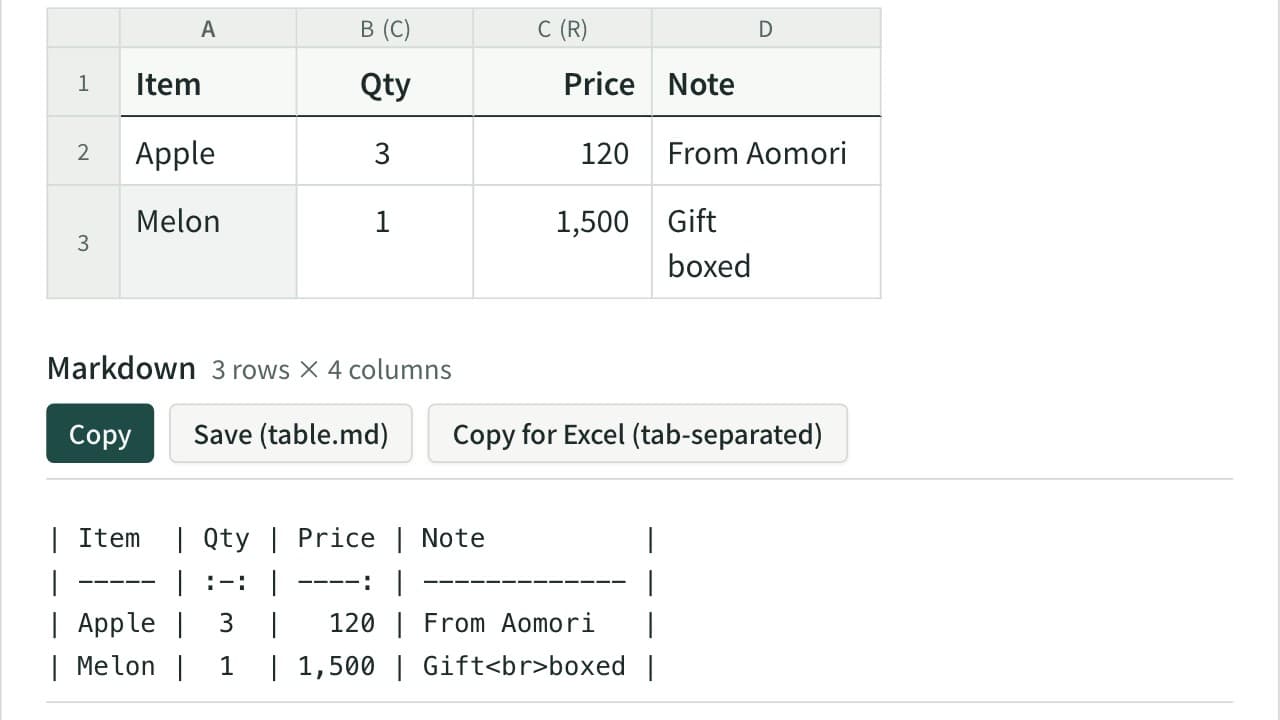
Markdown Table Generator
Turn cells copied from Excel or a spreadsheet into a Markdown table. Edit the cells in a grid, set each column to left, center or right alignment, and add, move, sort or swap rows and columns. The pipes line up even with Japanese and other full-width text, and you can reformat an existing Markdown table or copy it back to Excel.
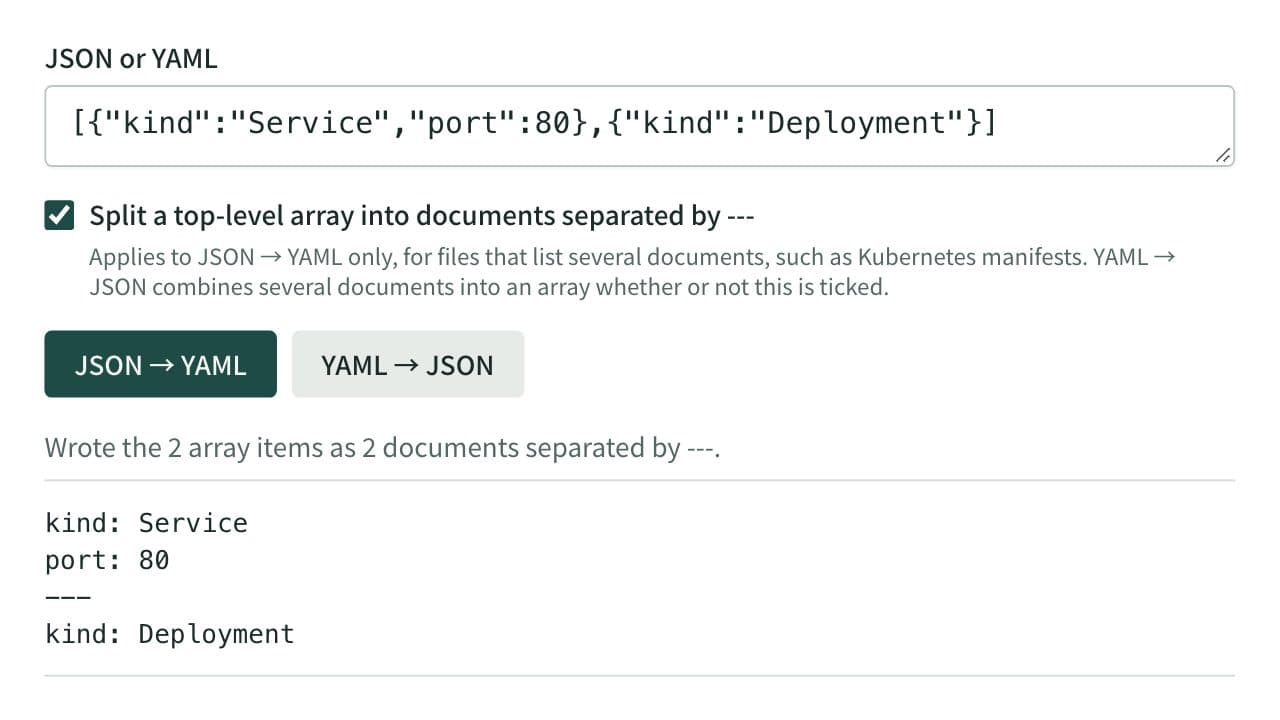
JSON ⇔ YAML Converter
Convert between JSON and YAML, including multi-document YAML (--- separated) to and from JSON arrays — useful for config file format conversion and data inspection.