Japanese Era Converter
Convert between Western years and Japanese era years (Meiji, Taisho, Showa, Heisei, Reiwa), with both eras shown for a changeover year, plus the weekday, zodiac and nearby years. A pasted list of dates converts in one go.
Western year to Japanese era
Japanese era to Western year
Enter the first year as 1 or 元
Convert a list
Paste era dates (令和6年4月1日, R6.4.1) and Western dates (2024/4/1, 2024-04-01, 20240401) in any mix. Each line is converted to the other calendar
How to use
- To start from a Western year, type it into "Western year" under "Western year to Japanese era". The month and day are optional. "Today" fills in today's date
- To start from an era, pick the era under "Japanese era to Western year" and type the era year. The first year can be entered as
1or as元 - The era date, the Western date, the short form (such as
R8) and the zodiac appear as you type. With a full date, the weekday appears as well - Below the result, a small table lists the three years before and after
- "Copy" copies the converted result
- To convert a column of dates from a list or spreadsheet, paste them into "Convert a list", one per line. Era dates and Western dates can be mixed
Full-width digits are accepted as they are. The dates you enter are never sent out of your browser and are not stored.
Example
Typing 1990 into "Western year" shows:
- Japanese era:
Heisei 2 (平成2年) - Short form:
H2 - Zodiac:
Horse (庚午)
A year in which the era changed shows both eras when you enter only the year. For 1989:
Showa 64 (昭和64年), until January 7Heisei 1 (平成元年), from January 8
Adding the month and day settles the era. 2019, 5 and 1 give May 1, Reiwa 1 (令和元年), a Wednesday.
Converting a list
Each line pasted into "Convert a list" is converted to the other calendar and shown in a table of line number, input, Western date and era date. The side converted to (the Western date for a line written as an era date) is set in bold.
These forms are read. Full-width digits and symbols, surrounding spaces and single-character eras such as ㍻ and ㋿ are read as well.
- Era dates:
令和6年4月1日,令和元年5月1日,平成31年4月,R6.4.1,H2/4/1,S50-3-1,昭50.3.1,H31 - Western dates:
2024年4月1日,2024/4/1,2024-04-01,2024.4.1,20240401,2024
To avoid mistaking one year for another, the following are not read and show "Not read as a date":
- Two-digit Western years, such as
90/4/1 - Era dates without an era, such as
6.4.1 - Dates followed by a weekday or other text, such as
2024年4月1日(月)(delete the part in brackets before pasting) - Month names, such as
April 1, 2024
"Western date style" sets the Western column to April 1, 2024, 2024/4/1 or 2024-04-01. A line with only a year, or a year and month, is written as far as it goes, such as 2024/4 or 2024-04.
There are two ways to copy:
- Copy results: copies the converted date of each line, one per line, in the order you pasted them. Blank lines and lines that could not be converted stay blank, so pasting next to the original column in a spreadsheet keeps the rows lined up
- Copy table (TSV): copies a header row (Input, Western calendar, Japanese era) and every non-blank line, separated by tabs. A line that could not be converted has empty Western and era cells. A cell containing
"or a tab is wrapped in"so that spreadsheets read it as one cell
Up to 1,000 lines are converted at once. Lines after that are left out, and the tool says so.
Era periods
The eras this tool covers, with their periods in the Western calendar:
- Meiji (明治): 1868 to July 29, 1912 (through Meiji 45)
- Taisho (大正): July 30, 1912 to December 24, 1926 (through Taisho 15)
- Showa (昭和): December 25, 1926 to January 7, 1989 (through Showa 64)
- Heisei (平成): January 8, 1989 to April 30, 2019 (through Heisei 31)
- Reiwa (令和): May 1, 2019 onward
An era year is the Western year, minus the era's first Western year, plus 1. As a shortcut, subtract 2018 from the Western year for Reiwa, 1988 for Heisei, 1925 for Showa, 1911 for Taisho and 1867 for Meiji.
Using it for resumes and forms
- When writing a birth year in era form, enter the full date of birth. The same Western year can fall in two eras: January 7, 1989 is Showa 64, and January 8, 1989 is Heisei 1
- The "Someone born this year" row shows the age a person born that year reaches on this year's birthday. Before the birthday, the age is one less
- Some forms ask for 令和1年 where others use 令和元年. Follow what the form asks for
FAQ
Is 元年 the same as year 1?
Yes. This tool writes the first year as 元年 in Japanese and as a number in the short form, such as R1. Either 元 or 1 works as input.
Why does a month or day in Meiji 5 or earlier give an error?
Japan adopted the present (Gregorian) calendar on January 1 of Meiji 6 (1873). Before that it used a lunisolar calendar, so months and days do not line up with Western ones. The change to Meiji, for example, took place on the 8th day of the 9th month of Keio 4 in the old calendar, which is October 23, 1868. This tool does not convert the old calendar, so for 1868 to 1872 it shows only how the years correspond. All of 1868 is treated as Meiji 1.
What happens with a year that does not exist?
A year past the end of an era, such as Heisei 32, is not converted. The tool reports that Heisei ended in year 31, on April 30, 2019. A date outside the era, such as May 1 of Heisei 31, is handled the same way.
Can it convert future years?
Yes. It assumes Reiwa continues. A future era change is not reflected.
How is the zodiac decided?
Each Western year gets its stem and branch pair from the sixty-year cycle, changing on January 1. Counting from the start of spring (risshun) or the lunar new year is not supported.
Is my input saved?
No. Everything runs in your browser and is gone when you reload the page.
- Type
- Utility
- Category
- Converters
- Tags
- wareki
- era
- date
- calendar
- converter
Related apps
Unix Timestamp Converter
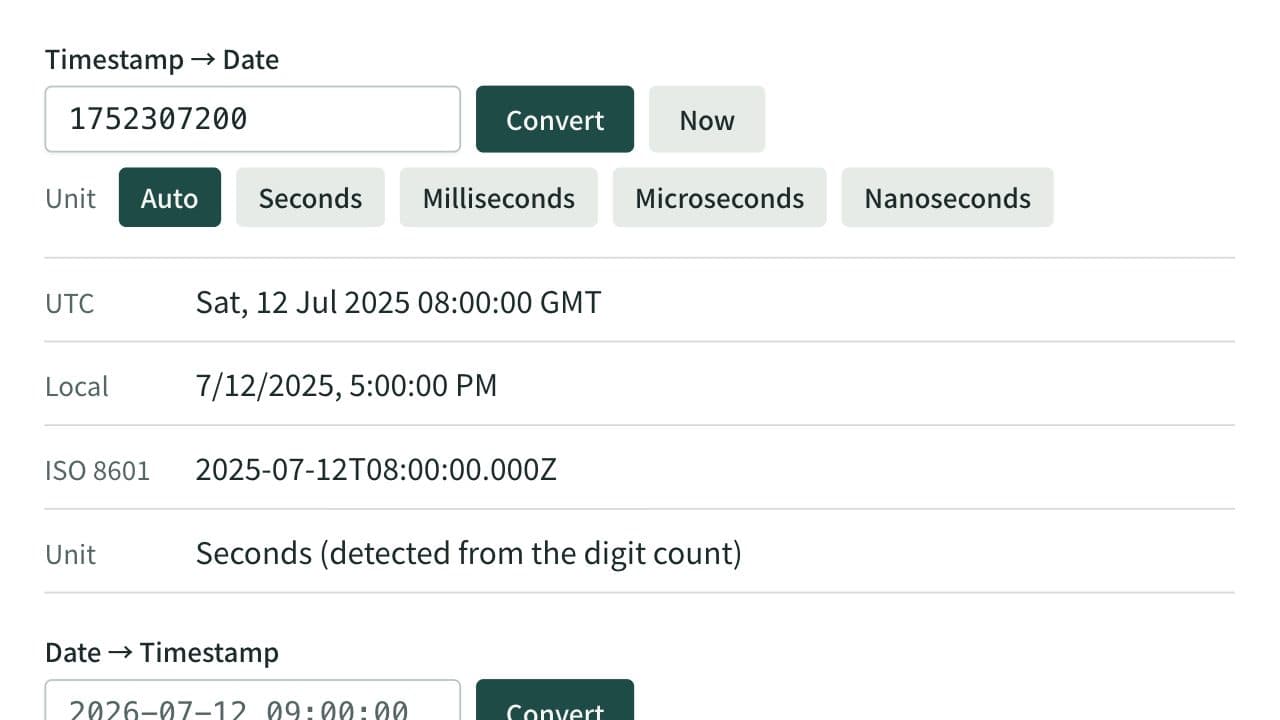
Convert between Unix timestamps and dates. Detects seconds, milliseconds, microseconds, and nanoseconds from the digit count or lets you choose the unit, and shows both UTC and local time. When converting a date, choose whether it is read as local time or UTC.
Time Zone Converter
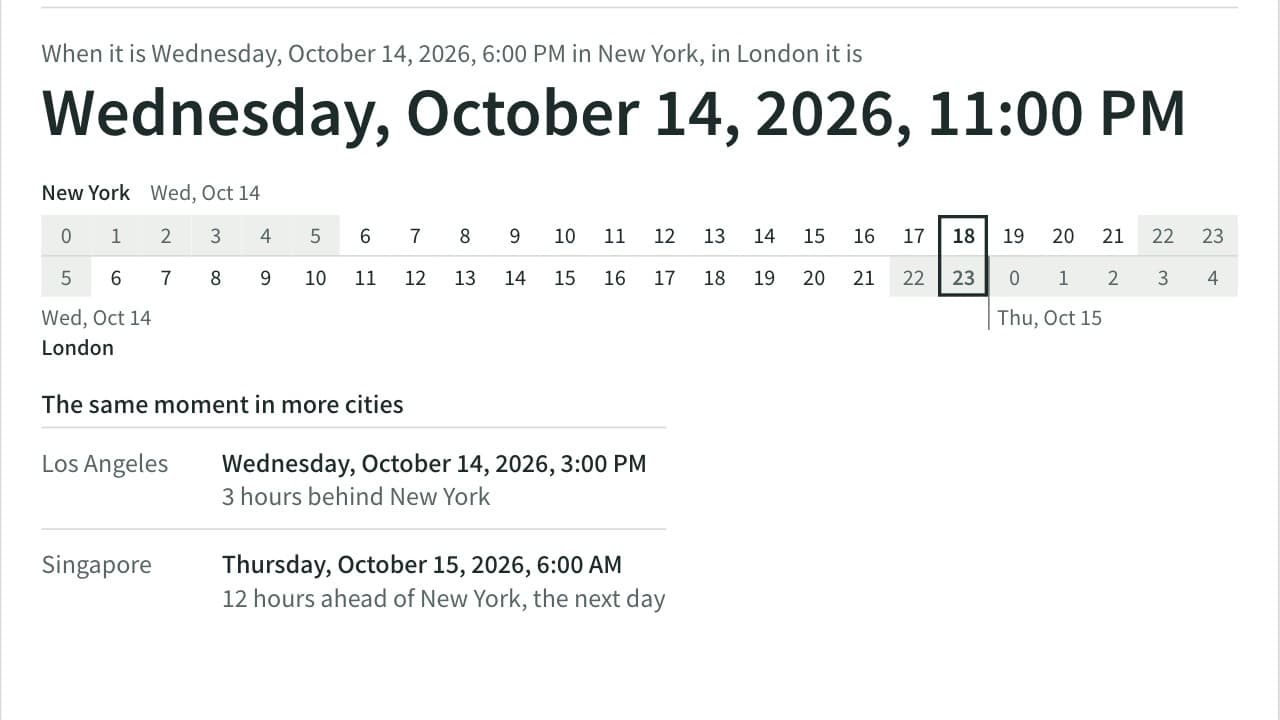
Convert a date and time between cities and see the time difference. Covers 36 cities plus UTC, applies daylight saving time for the date you enter, and tells you when the result falls on the previous or next day. Add up to four more cities to compare the same moment side by side.
Roman Numeral Converter
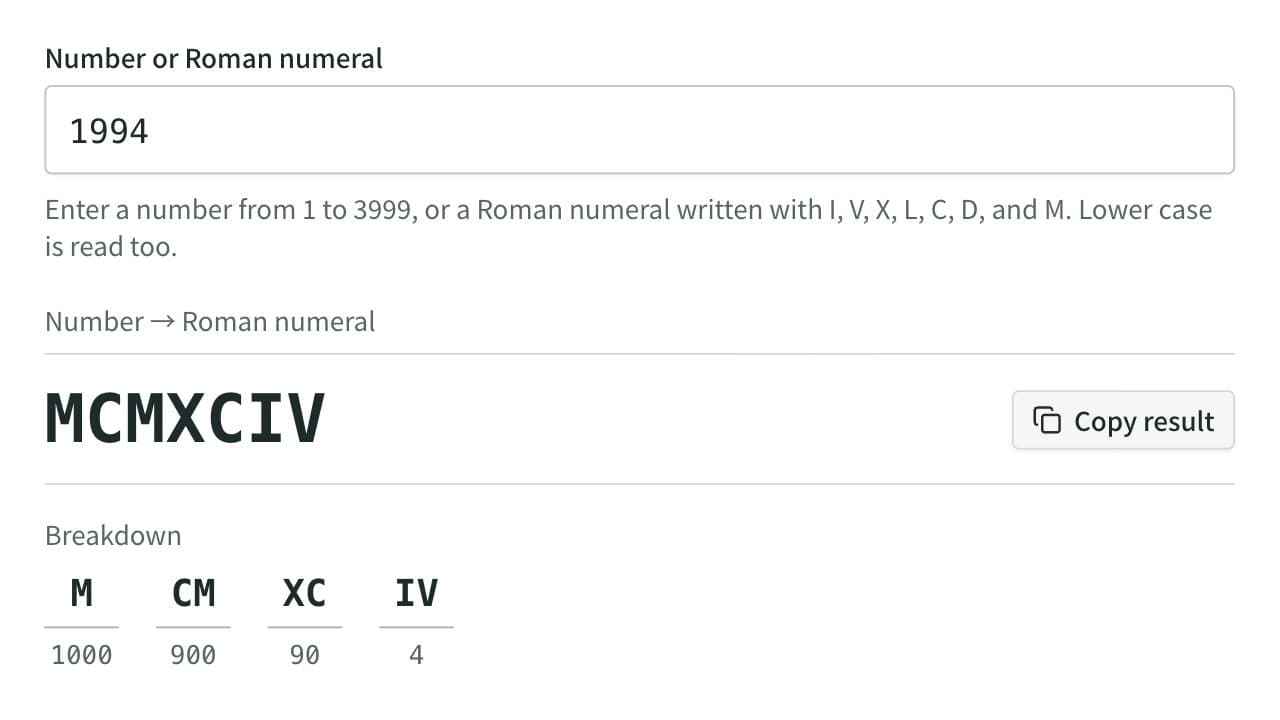
Convert numbers from 1 to 3999 into Roman numerals (I, V, X, L, C, D, M) and Roman numerals back into numbers, with a breakdown of what each group of symbols stands for. Dates can be written field by field, and numerals can be output in lower case.