Punycode Converter (IDN ⇔ xn--)
Convert internationalized domain names to their xn-- Punycode form and back, line by line. In URLs and email addresses only the domain is converted, with case and width mapping, invalid characters and mixed-script look-alikes reported.
How to use
- Choose a conversion. Usually that is the first one, “Domain names, URLs and email addresses”, which is selected to start with
- In “Text to convert”, enter internationalized domain names or forms starting with
xn--, one per line. You can paste whole URLs or email addresses too - Both “xn-- form (Punycode)” and “Original characters (Unicode)” update as you type. Whichever form you enter, both are shown side by side
- Under “Line by line”, check how each label (the parts between dots) converts, which scripts it uses, and why a line cannot be converted or what to be careful about
- “Copy” copies each form as a whole. A line that cannot be converted becomes an empty line, so the lines stay in the same order as the input
“Fill in an example” enters an example for the selected conversion. What you enter is not sent anywhere outside your browser and is not saved.
Example
Enter these six lines.
日本語.jp
https://例え.テスト/パス?q=1
info@ドメイン名例.jp
xn--wgv71a119e.jp
WWW.東京.jp
аpple.com
日本語.jp→xn--wgv71a119e.jphttps://例え.テスト/パス?q=1→https://xn--r8jz45g.xn--zckzah/パス?q=1. In a URL only the host name is converted; the path and query stay as writteninfo@ドメイン名例.jp→info@xn--eckwd4c7cu47r2wf.jp. In an email address only the part after @ is convertedxn--wgv71a119e.jp→ its original characters are日本語.jp. The reverse direction goes in the same boxWWW.東京.jp→www.xn--1lqs71d.jp. Full-width letters and the full-width dot are mapped to ASCII before convertingаpple.com→xn--pple-43d.com. The leadingаis a Cyrillic letter, not the Latin a, so a caution says the label mixes Cyrillic and Latin letters, and each character is listed with its code point (а U+0430 Cyrillic)
How it converts
- To the xn-- form: of the labels between dots, only those with characters outside ASCII are converted to Punycode (RFC 3492) and prefixed with
xn--. ASCII-only labels are only lower-cased - Back to the original characters: a label starting with
xn--(orXN--) is read as Punycode and decoded. If converting the result again does not give the same form, it is reported as not valid Punycode - Mapping by the domain-name rules: as browsers do (following the rules of UTS #46), full-width letters and digits become ASCII, half-width katakana become full-width, capitals become small letters, and a kana with a separate voiced sound mark is combined (
かplus the mark becomesが) before converting.。,.and。count as dots. Invisible characters such as the soft hyphen and the zero-width space are removed - Characters that cannot be used: spaces, symbols such as
!and(, punctuation such as«and§, the replacement character�and control characters are not allowed in a domain name, so such a line is not converted. The same goes for a character such as㈱, which the mapping turns into(株) - Cautions only: what can be converted but may not work as a host name or may not be registrable is shown as a caution: a label that starts or ends with a hyphen, a label with
--as its 3rd and 4th characters, an underscore (_), symbols such as emoji, a label longer than 63 characters, and a domain name longer than 253 - URLs and email addresses: a line that starts with a scheme such as
https://is read as a URL, and a line containing@as an email address; only the domain name is converted. The port (:8080), path, user name and the local part of an email address (before @) stay as written. An@after a/,?or#counts as part of a path (as inexample.jp/@user), not as an email address, so the rare email address with a/in its local part is read as a host name and a path. InhttpandhttpsURLs a\also ends the host name, as in browsers, and a percent-encoded host name such as%E6%97%A5is decoded to its characters before converting. IPv6 addresses in[brackets are not converted
Spotting look-alike domains
Some domain names imitate well-known sites with characters that look almost exactly like Latin letters (a homograph attack). This tool checks the scripts of each label and shows a caution when:
- Scripts are mixed: for example, Latin and Cyrillic letters in one label. The usual combinations are not flagged: Japanese (Kanji, Hiragana, Katakana with Latin), Chinese (Han and Bopomofo with Latin) and Korean (Han and Hangul with Latin)
- The label only has letters that look Latin: such as
аррӏе, written entirely in Cyrillic letters that look like “apple”, or a label made only of Greek letters of that kind
For a flagged label, every non-ASCII character is listed with its code point and script. When a link in an email or a message looks suspicious, convert it to the xn-- form and check whether the domain is plain letters. No caution does not mean a domain is safe.
Converting bare strings
“Text to Punycode (without xn--)” and “Punycode to text (without xn--)” convert RFC 3492 Punycode only, without the domain-name rules. Case and width are kept as they are, and xn-- is neither added nor removed.
3年B組金八先生→3B-ww4c5e180e575a65lsy2b(an example from RFC 3492)パフィーdeルンバ→de-jg4avhby1noc0d(an example from RFC 3492)
ASCII characters come first, as they are, before the last hyphen; the other characters are encoded as the letters and digits after it. An ASCII-only string such as abc becomes abc-.
Common uses
- Writing a Japanese domain into configuration: DNS zone files, web server settings, certificate requests and mail sender settings often accept only the xn-- form
- Reading xn-- in logs and analytics: find out which internationalized domain an
xn--host name in a server log or a certificate stands for - Checking a suspicious link: see whether a domain that looks like plain letters contains other characters
- Checking a domain name before registering it: see how long a Japanese domain is in its xn-- form and whether it has characters that cannot be used
FAQ
What is Punycode?
It is a way to write a domain name with characters outside ASCII (an internationalized domain name, IDN) using only the lower-case letters, digits and hyphens that DNS handles. It is defined in RFC 3492. Domain names are converted label by label, and each converted label is prefixed with xn-- to tell it apart from labels that were plain letters to begin with.
If I type the Japanese domain into the browser, why convert it?
Browsers convert it to the xn-- form behind the scenes before connecting. DNS settings, server configuration files, certificate requests and some mail software may not accept the original characters, so you need the conversion when you write it there.
Why does it say the input was mapped before converting?
Domain names do not distinguish capitals from small letters, or full-width from half-width characters, so a rule (UTS #46) brings them to one form before converting. For example, WWW.東京.jp is the same domain name as www.東京.jp. That is also why converting the result back may not give exactly what you typed.
Is the result exactly what my browser does?
For commonly used characters (Japanese, Latin letters, full-width and half-width forms, Greek, Cyrillic and so on), tests check that the results match the conversion of the URL standard (WHATWG URL) as implemented in Node.js. The tool does not carry the full table of the rules, though, and is stricter than browsers in these ways:
- ASCII symbols such as
!,(and*, and punctuation such as«and§, are treated as characters that cannot be used, even where a browser lets them through (only a leading*.is kept, as a wildcard) - Labels that contain a zero-width joiner or non-joiner (U+200C / U+200D) are not converted
- Hyphen positions and length limits are not checked by browsers, but this tool shows them as cautions
The rules for right-to-left scripts such as Arabic and Hebrew (RFC 5893) are not checked.
It starts with xn-- but says it is not valid Punycode
That happens when what follows xn-- cannot be read as Punycode, decodes to ASCII only, or does not give the same form when converted again. Check that the xn-- form was not edited by hand or cut off. A form that decodes to characters the rules would have changed, such as capitals or full-width ones, is reported separately as not matching the rules.
Is the non-ASCII part before @ in an email address converted?
No. Punycode is for domain names and is not used for the local part of an email address (before @). Non-ASCII characters there need mail servers on both the sending and the receiving end that support an extension called SMTPUTF8.
Is my input saved?
No. Everything is converted in your browser; what you enter is neither sent nor saved. Reloading the page clears it.
- Type
- Utility
- Category
- Developer
- Tags
- punycode
- idn
- domain
- url
- converter
- developer
- security
Related apps
Color Code Converter
Convert colors between HEX, RGB, and HSL, and see them in HSV, CMYK, and OKLCH too, with a color picker, a live preview, and WCAG contrast ratios against white, black, or any text color you choose.
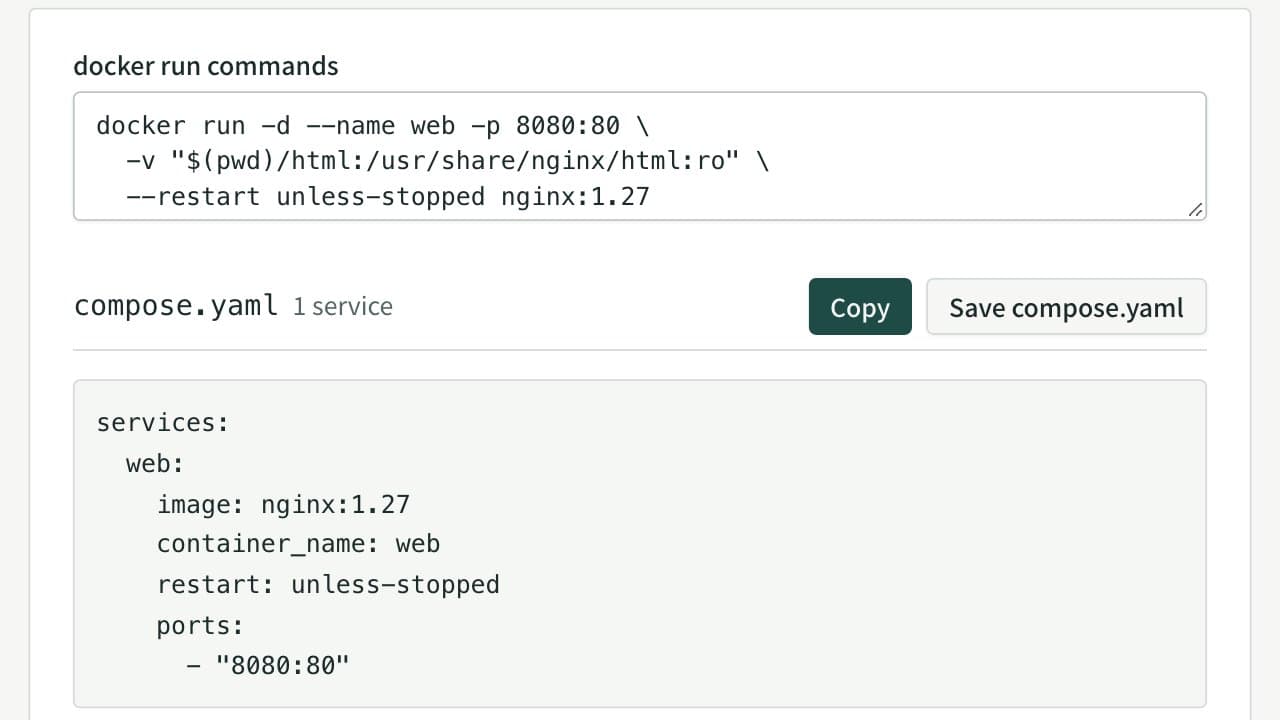
docker run to Docker Compose Converter (compose.yaml)
Paste docker run commands and get a compose.yaml. Reads every docker run option, including ports, environment, volumes, networks, health checks and GPUs, merges several commands into one file, rewrites $(pwd) and $ for Compose, and flags options Compose cannot express.
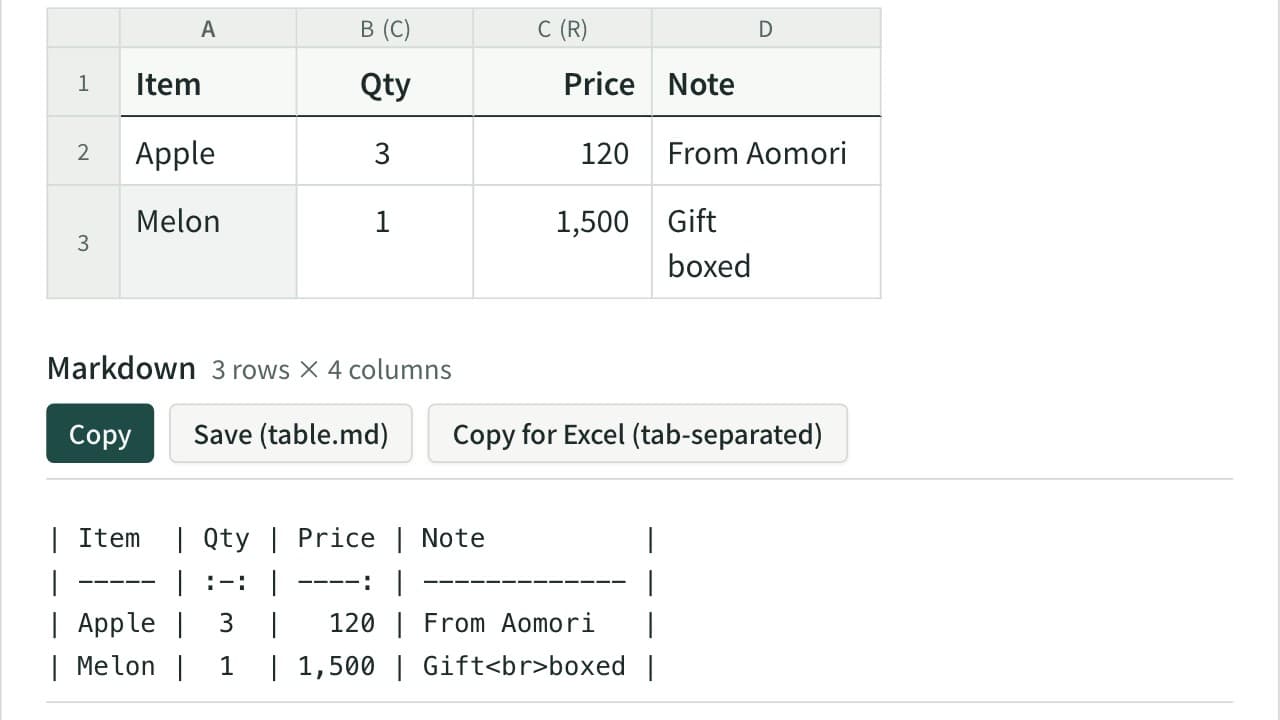
Markdown Table Generator
Turn cells copied from Excel or a spreadsheet into a Markdown table. Edit the cells in a grid, set each column to left, center or right alignment, and add, move, sort or swap rows and columns. The pipes line up even with Japanese and other full-width text, and you can reformat an existing Markdown table or copy it back to Excel.