Unicode Escape Converter
Turn text into Unicode escapes such as \u3042, and turn \uXXXX, \u{...}, and \UXXXXXXXX back into characters. Covers the forms used by JSON, Java, JavaScript, and Python, and can escape only invisible characters such as zero width spaces and look-alike spaces to find them.
Enter text to see the converted result and how much was replaced.
How to use
- Choose Escape or Unescape under "Direction"
- Type or paste text into the upper box
- When escaping, pick which characters to escape and the form you need under "Escape settings"
- The converted text appears under "Result". Press "Copy result" to put it on the clipboard
There is no run button. The result changes whenever you change the input or a setting. Below the result, the app shows how many characters it replaced, or how many escapes it turned back into characters.
"Move result to input and reverse" moves the result into the input box and flips the direction, so you can check on the spot that an escaped result comes back as the original text.
What a Unicode escape is
A Unicode escape writes a character's Unicode number (its code point) in hexadecimal instead of writing the character itself. The number of あ is U+3042, so its escape is \u3042.
Because an escape uses only ASCII characters, it shows up in places like these:
- A JSON library writes non-ASCII text as
\u65e5\u672c\u8a9e(the default forjson_encodein PHP andjson.dumpsin Python) - A Java
.propertiesfile contains text outside Latin-1 - Source code holds a character that is hard to tell apart by eye, or an emoji, inside a string
- Logs and API responses contain escaped text
This app turns such strings back into readable text, and turns your own text into escaped form.
Example
Suppose an API response contains this string.
{"message":"\u4fdd\u5b58\u3057\u307e\u3057\u305f"}
Set the direction to Unescape and paste it. The result is:
{"message":"保存しました"}
The line below reads "Turned 6 escapes back into characters." Everything that is not an escape, such as {, ", and message, is left unchanged.
In the other direction, entering café 😀 under Escape gives this with the initial settings.
caf\u00e9 \ud83d\ude00
The line below reads "Replaced 2 characters with escapes." The next section explains why the emoji 😀 becomes the two escapes \ud83d\ude00.
Escape settings
Characters to escape
There are three choices for which characters are replaced with escapes.
- Non-ASCII characters: the initial setting. Letters, digits, symbols, spaces, tabs, and line breaks (U+0000 to U+007F) stay as they are, and every other character is escaped
- Only invisible characters and look-alike spaces: only characters that do not show on screen, and spaces that are hard to tell from an ordinary space, are escaped. Japanese text, ASCII letters, digits, and symbols, the ordinary space, tabs, and line breaks stay as they are. The next section, "Invisible characters and look-alike spaces", lists which characters count
- Every character: every character is escaped, ASCII included.
abecomes\u0061and a line break becomes\u000a, so the result is a single line. Use it to inspect a string purely by its numbers, or to put text that contains\into a form that is sure to come back unchanged (see "Things to watch for" below)
Keep two points in mind before pasting an escaped result into a string literal in source code.
- Java replaces
\uXXXXwith the character at the very first stage of reading source code. So a\u000a(line break) or\u0022(") inside a string literal is treated as ending the line or the string there, and the code does not compile. In Java, write a line break as\nand"as\". A line break and"are escaped only with "Every character" - Some versions of C and C++ do not allow this form for numbers below U+00A0, such as
\u0061(in C11 and C17 the only exceptions are$,@, and`). Besides "Every character", the control characters U+0080 to U+009F fall in this range with "Non-ASCII characters", and with "Only invisible characters and look-alike spaces" so do the control characters U+0000 to U+001F other than tab, line feed, and carriage return, and U+007F
Invisible characters and look-alike spaces
Text copied from somewhere else sometimes carries characters you cannot see. They are a common cause when two strings look the same but do not compare equal or match a search, or when JSON or CSV fails to load.
With "Only invisible characters and look-alike spaces", only those characters turn into numbers, so you can see what is where. For example, café with a zero width space between caf and é gives this result.
caf\u200bé
The line below reads "Replaced 1 character with escapes (invisible characters or look-alike spaces)." When there are none, it reads "There were no invisible characters or look-alike spaces."
These characters count.
- Spaces other than the ordinary space (U+0020): the no-break space (U+00A0), the ideographic space (U+3000), the spaces of other widths from U+2000 to U+200A, and so on. The braille blank (U+2800) counts too, because most fonts draw it as a space
- Characters with no width that do not display: the zero width space (U+200B), the zero width joiner (U+200D), the word joiner (U+2060), the byte order mark (U+FEFF), the soft hyphen (U+00AD), the controls that change the direction of text (such as U+202E), the Hangul filler (U+3164), and so on
- Control characters other than tab, line feed (LF), and carriage return (CR): U+0000, U+007F, U+0085, and so on
- The line separator (U+2028) and the paragraph separator (U+2029)
- Unpaired surrogates (see "Things to watch for")
Tab, line feed, carriage return, and the ordinary space shape the layout of the text, so they stay as they are. Variation selectors (such as U+FE0F) stay too, because they pick the look of the character before them, as in ❤️.
A zero width joiner inside an emoji does count. The family emoji 👨👩👧 is person emoji joined by zero width joiners, so it becomes 👨\u200d👩\u200d👧.
Escape form
Languages write escapes differently, so there are three forms. Here they are with あ (U+3042) and 😀 (U+1F600).
\uXXXX(JSON, Java, JavaScript):あis\u3042and😀is\ud83d\ude00. Each escape has four hex digits. A character above U+FFFF does not fit in four digits, so it is split into two numbers called a surrogate pair. JSON, Java, and older JavaScript read only this form\u{X}(JavaScript, Rust, Swift):あis\u{3042}and😀is\u{1f600}. The code point goes inside the braces as it is. The number of digits depends on the character, and there is no zero padding. JavaScript (ES2015 and later), Rust, Swift, and PHP (7 and later) accept it. JSON does not\uXXXXand\UXXXXXXXX(Python, C):あis\u3042and😀is\U0001f600. Characters up to U+FFFF use a lowercase\uand four digits. Characters above that use an uppercase\Uand eight digits. Python, C, C++, and C# accept it
The initial setting is \uXXXX. If you are not sure which language will read the text, this form is understood in the most places.
The languages in parentheses are the main ones that read each form. What this app produces is a run of escapes, not a string literal that can be pasted into every one of those languages as it is. Each language has rules of its own (see "Characters to escape" and "Things to watch for").
Write the hex letters in upper case
With the initial settings, the hex letters a to f are written in lower case. Turn this on and \u30ab becomes \u30AB. The case of the leading \u and \U does not change. A language reads both spellings as the same character.
Forms that Unescape reads
Unescape turns the following three forms back into characters. They may be mixed in one text.
\uand four hex digits:\u3042,\u00e9, and so on\u{, hex digits, and}:\u{3042},\u{1F600}, and so on. Any number of leading zeros is accepted\Uand eight hex digits:\U0001F600and so on
Hex letters may be in upper or lower case.
A surrogate pair such as \ud83d\ude00 becomes the single character 😀 when the two escapes are turned back one after the other. That counts as two escapes.
The following are not converted and stay as written.
- Incomplete forms, such as
\u12(fewer than four digits),\u{3042(no closing brace), and\U3042(fewer than eight digits). The\uin a Windows path such asC:\usersis not converted either - Numbers above U+10FFFF. Unicode ends at U+10FFFF, so
\u{110000}and\U00110000cannot become characters. The count of these is shown below the result - Other escapes, such as
\n,\t,\",\\, and\x41
Things to watch for
\\ gets no special treatment
This app reads Unicode escapes and nothing else. A programming language reads \\ as "the single character \", but this app does not. So \\u3042 becomes \あ, with the first \ left in place.
When you meet a string like \\u3042 in a log that was turned into a JSON string twice, Unescape makes the text readable. The result is not the same as what the language would produce, though. To get the exact value of a string, read it as JSON with the JSON Formatter, or run it in that language.
When the original text contains \u
With "Non-ASCII characters" and "Only invisible characters and look-alike spaces", \ is not escaped. So if the original text contains the six characters \u3042 as they are, unescaping the escaped result turns them into あ, and the text does not come back as it was. With "Every character", \ becomes \u005c as well, and any text comes back unchanged.
One level at a time
One conversion undoes one level. \u005cu3042 becomes \u3042, not あ. To undo another level, press "Move result to input and reverse" and then set the direction back to Unescape.
Unpaired surrogates
An escape that is only one half of a pair, such as \ud83d alone or \ude00 alone, is still turned into the character with that number. Such a character cannot be displayed on its own, and copying or saving it may replace it with � (U+FFFD). When the result contains characters like this, their count is shown below the result. This usually happens when a long string was cut in the middle and the pair of an emoji was split.
The text you enter is processed only inside the browser that has this page open. It is not sent anywhere or saved. Reloading the page clears the input.
FAQ
Why does an emoji become two escapes such as \ud83d\ude00?
The \uXXXX form holds only four hex digits, so it cannot write a number above U+FFFF in one escape. 😀 is U+1F600, so a fixed calculation splits it into two numbers, a surrogate pair. JSON and Java read the two together as one character. To write a single number, choose the \u{X} or \UXXXXXXXX form.
Why do emoji with a skin tone, and flags, become many escapes?
Those emoji are built from several code points. 👍🏽, for example, is 👍 (U+1F44D) followed by a skin tone (U+1F3FD), and in the \u{X} form it is \u{1f44d}\u{1f3fd}. It also counts as two replaced characters.
Is JSON broken when its non-ASCII text is escaped?
No. "\u65e5\u672c" and "日本" are exactly the same value in JSON. A program that reads the JSON receives the same string either way. The library that wrote it was simply set to use ASCII only. In PHP, JSON_UNESCAPED_UNICODE writes the characters as they are, and in Python ensure_ascii=False does the same.
Can I check whether text contains invisible characters?
Yes. Set the direction to Escape, choose "Only invisible characters and look-alike spaces" under "Characters to escape", and paste the text. Wherever the result shows a number such as \u200b or \u00a0, that character is there. The count is shown below the result.
To remove what you found, turn on "Use a regular expression" in the Find and Replace Text Tool, enter the number, such as \u200b, under "Find", and leave "Replace with" empty.
Can it convert %E3%81%82 or あ?
No. %E3%81%82 is URL encoding, which the URL Encoder and Decoder converts. あ and あ are HTML numeric character references, which the HTML Escape and Unescape Tool converts. All of them stand for あ, but they are written differently and belong in different places.
Can it convert \xe3\x81\x82?
No. A \x with two digits means different things in different languages. In JavaScript it is the character with a number such as U+00E3. In a Python bytes literal or in C it is one byte of an encoding such as UTF-8. The example above is the three UTF-8 bytes of あ, but the string alone does not say which meaning applies, so this app leaves \x alone.
Can I use it for Java .properties files?
Yes. Choose the \uXXXX form. The output has the same shape as that of native2ascii, the tool that shipped with older Java. From Java 9 on, a .properties file loaded as a resource bundle is read as UTF-8, so you can sometimes write the characters as they are. A file read by passing a byte stream to Properties.load still needs escapes.
Is uppercase \u30AB different from lowercase \u30ab?
They are the same character, カ. The case of the hex letters makes no difference, so follow what your team or tools use. The leading \u and \U are different things, however: \U must be followed by eight digits.
- Type
- Utility
- Category
- Developer
- Tags
- unicode
- escape
- unescape
- encode
- decode
- json
- zero-width-space
- invisible-characters
- developer
Related apps
Base64 Encoder / Decoder
Encode text or files such as images to Base64, and decode Base64 back to text or a file. Handles data URLs and the URL-safe form (Base64URL). UTF-8 aware and runs entirely in your browser.
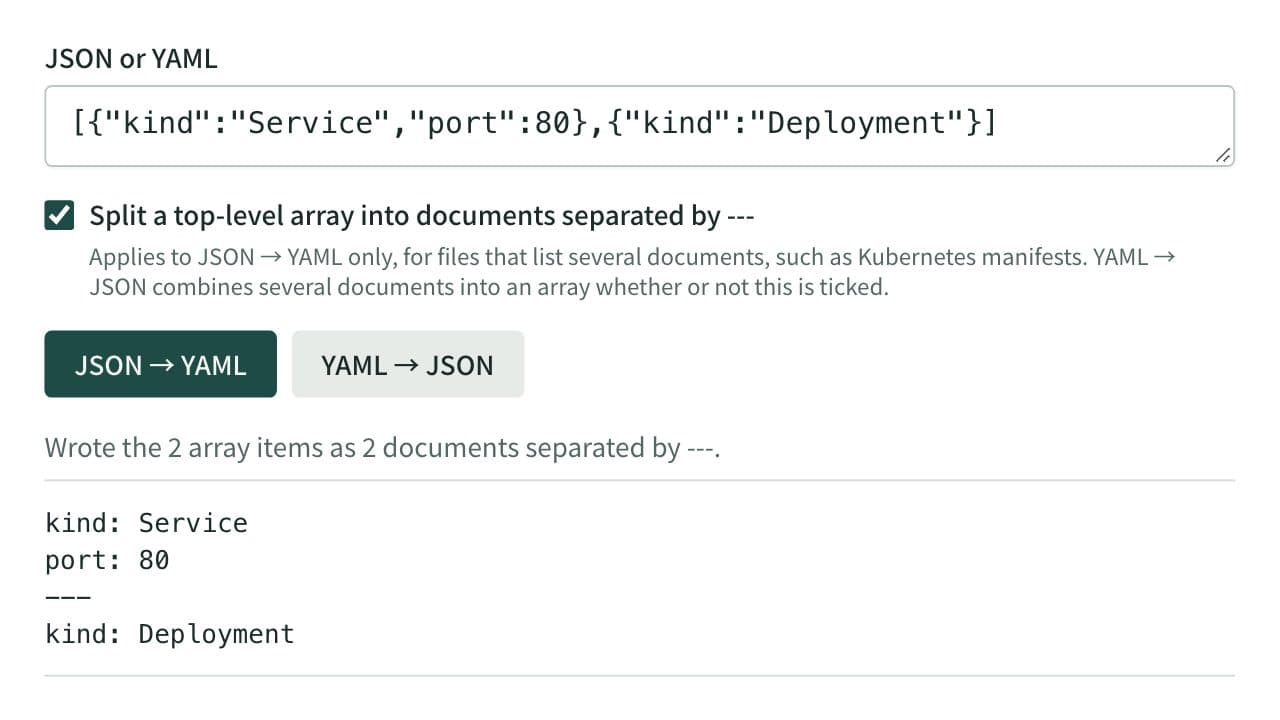
JSON ⇔ YAML Converter
Convert between JSON and YAML, including multi-document YAML (--- separated) to and from JSON arrays — useful for config file format conversion and data inspection.
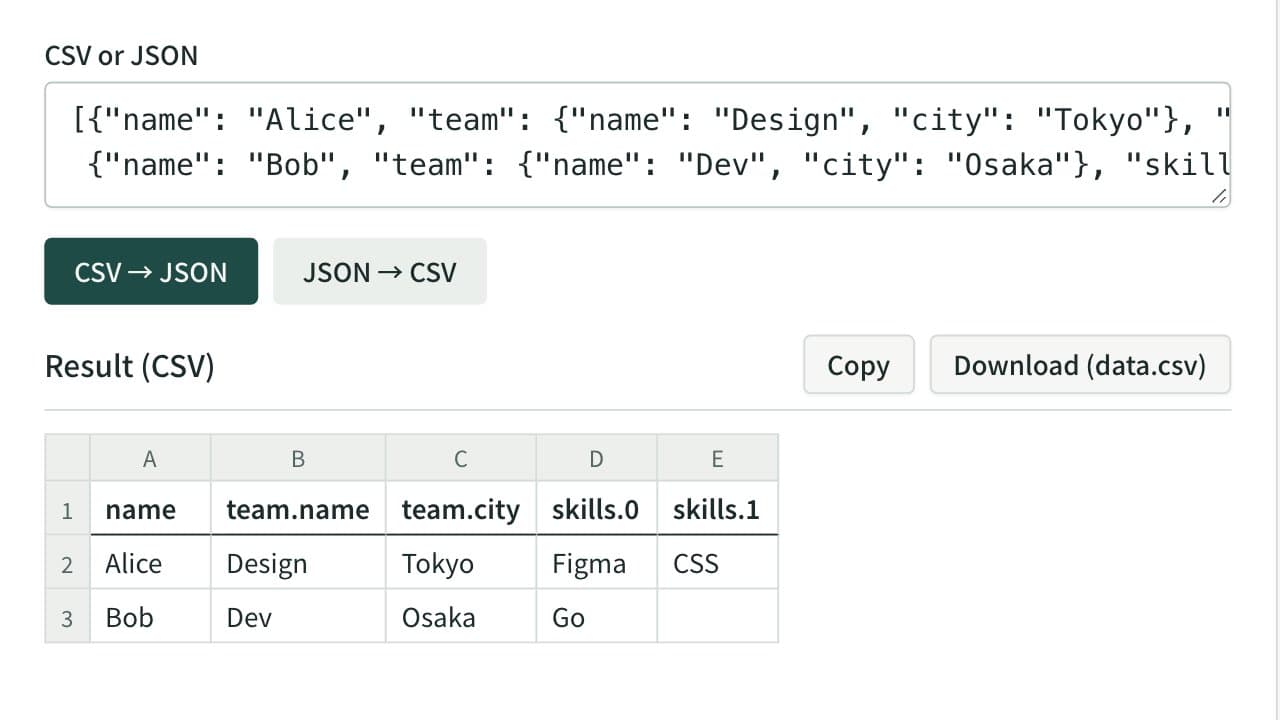
CSV ⇔ JSON Converter
Convert between CSV or tab-separated text and JSON — turn a spreadsheet table into JSON, or a JSON array back into rows and columns. Nested JSON is expanded into columns such as address.city. Download the result as a CSV file that Excel opens without garbled text.